- 사용한 Unity 버전 : 2022.3.62f
- 사용한 Spine 버전 : spine-unity 4.2
스파인 패키지 적용하기
- 여기 들어가서 패키지를 다운받고, 유니티로 드래그&드롭해서 적용시키기
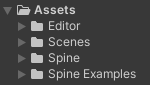
- 이 사진처럼 나오면 적용 완료
예제 씬 살펴보기
- Spine Examples 들어가보면 예제 씬이 있음
- 하나씩 까보자
1. The Spine GameObject
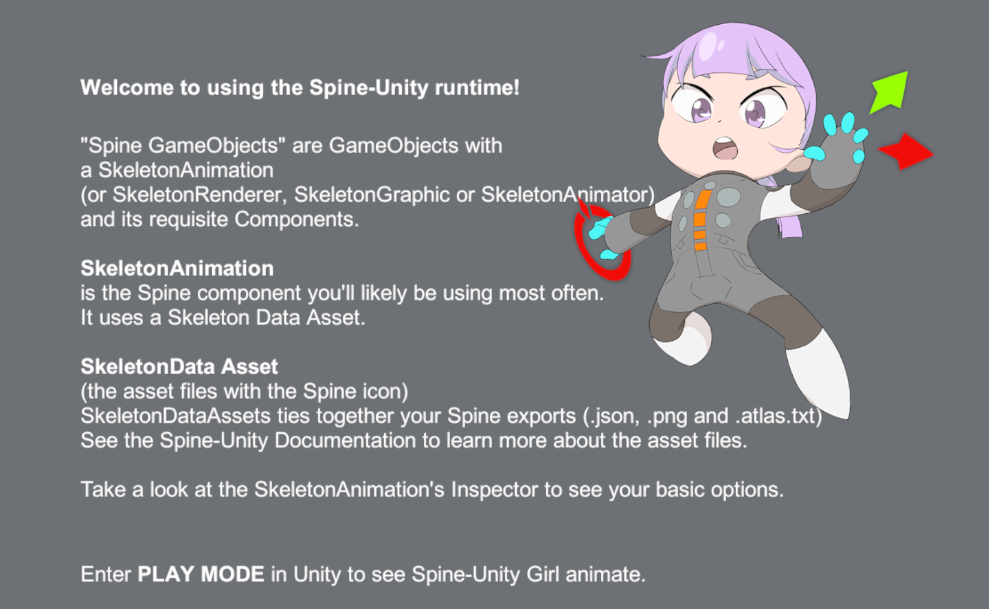
- 대강 보면, 스파인 게임 오브젝트는 SkeletonAnimation(또는 SkeletonRenderer, SkeletonGraphic, SkeletonAnimator) 를 포함하고 있는 게임 오브젝트를 의미한다는 것을 알 수 있음.
- 그리고 SkeletonData Asset의 경우에는 스파인 프로그램에서 내보내기 한 json, png, atlas.txt 파일이 묶인다는 점을 알 수 있음.
- 오른쪽 위에 있는 스파인 유니티 걸을 확인하면 아래의 컴포넌트가 포함되어 있음
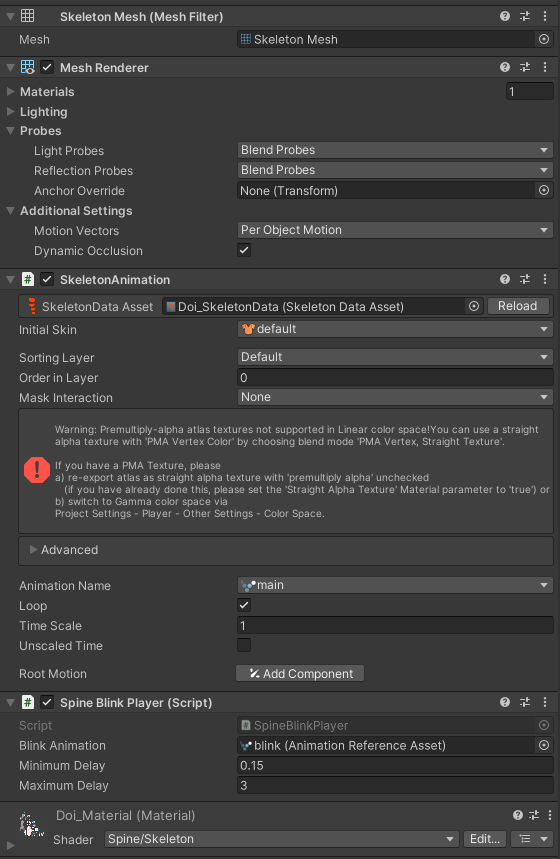
- 여기서 Spine Blink Player 코드를 살펴보자.
public class SpineBlinkPlayer : MonoBehaviour {
    const int BlinkTrack = 1;

    public AnimationReferenceAsset blinkAnimation;
    public float minimumDelay = 0.15f;
    public float maximumDelay = 3f;

    IEnumerator Start () {
       SkeletonAnimation skeletonAnimation = GetComponent<SkeletonAnimation>();
       if (skeletonAnimation == null) yield break;
       while (true) {
          skeletonAnimation.AnimationState.SetAnimation(SpineBlinkPlayer.BlinkTrack, blinkAnimation, false);
          yield return new WaitForSeconds(Random.Range(minimumDelay, maximumDelay));
       }
    }
}- 대강 보면, 눈을 깜빡이는 모션을 취하고, 0.15초부터 3초 사이의 랜덤한 초 이후에 원래대로 돌아가는 것 처럼 보임.
2. Controlling Animation
-
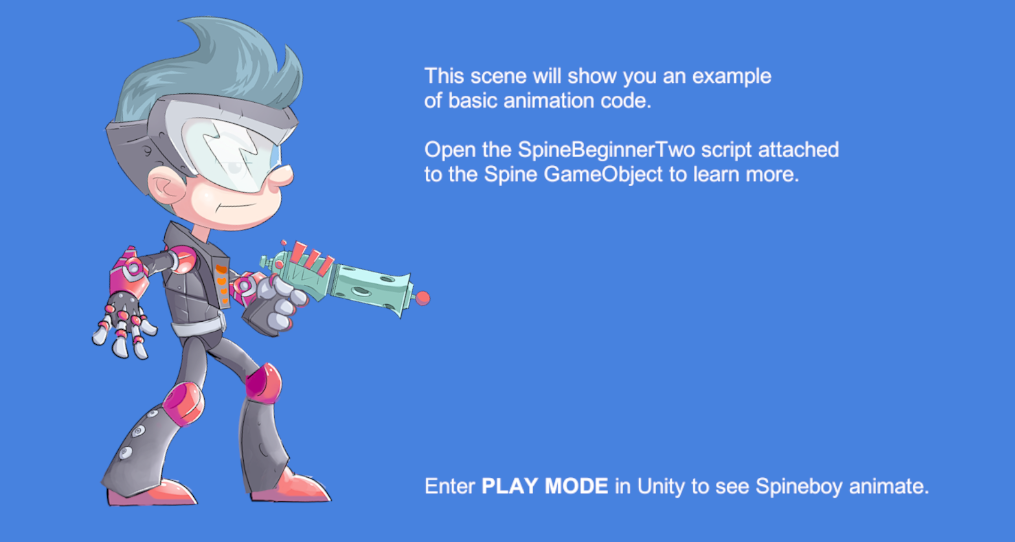
플레이하면 스파인 보이가 걷고, 뛰고, 반대방향으로 돎.
-
스파인 보이는 아래의 Spine Beginner Two 컴포넌트를 가지고 있다. 한 번 까보자.
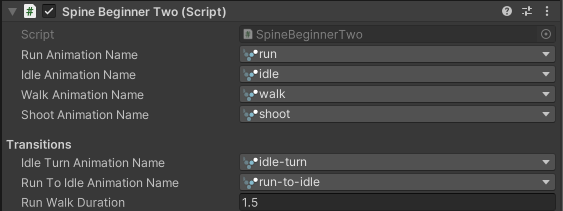
public class SpineBeginnerTwo : MonoBehaviour {

    #region Inspector
    // [SpineAnimation] attribute allows an Inspector dropdown of Spine animation names coming form SkeletonAnimation.
    [SpineAnimation]
    public string runAnimationName;

    [SpineAnimation]
    public string idleAnimationName;

    [SpineAnimation]
    public string walkAnimationName;

    [SpineAnimation]
    public string shootAnimationName;

    [Header("Transitions")]
    [SpineAnimation]
    public string idleTurnAnimationName;

    [SpineAnimation]
    public string runToIdleAnimationName;

    public float runWalkDuration = 1.5f;
    #endregion

    SkeletonAnimation skeletonAnimation;

    // Spine.AnimationState and Spine.Skeleton are not Unity-serialized objects. You will not see them as fields in the inspector.
    public Spine.AnimationState spineAnimationState;
    public Spine.Skeleton skeleton;

    void Start () {
       // Make sure you get these AnimationState and Skeleton references in Start or Later.
       // Getting and using them in Awake is not guaranteed by default execution order.
       skeletonAnimation = GetComponent<SkeletonAnimation>();
       spineAnimationState = skeletonAnimation.AnimationState;
       skeleton = skeletonAnimation.Skeleton;

       StartCoroutine(DoDemoRoutine());
    }

    /// This is an infinitely repeating Unity Coroutine. Read the Unity documentation on Coroutines to learn more.
    IEnumerator DoDemoRoutine () {
       while (true) {
          // SetAnimation is the basic way to set an animation.
          // SetAnimation sets the animation and starts playing it from the beginning.          // Common Mistake: If you keep calling it in Update, it will keep showing the first pose of the animation, do don't do that.
          spineAnimationState.SetAnimation(0, walkAnimationName, true);
          yield return new WaitForSeconds(runWalkDuration);

          spineAnimationState.SetAnimation(0, runAnimationName, true);
          yield return new WaitForSeconds(runWalkDuration);

          // AddAnimation queues up an animation to play after the previous one ends.
          spineAnimationState.SetAnimation(0, runToIdleAnimationName, false);
          spineAnimationState.AddAnimation(0, idleAnimationName, true, 0);
          yield return new WaitForSeconds(1f);

          skeleton.ScaleX = -1;       // skeleton allows you to flip the skeleton.
          spineAnimationState.SetAnimation(0, idleTurnAnimationName, false);
          spineAnimationState.AddAnimation(0, idleAnimationName, true, 0);
          yield return new WaitForSeconds(0.5f);
          skeleton.ScaleX = 1;
          spineAnimationState.SetAnimation(0, idleTurnAnimationName, false);
          spineAnimationState.AddAnimation(0, idleAnimationName, true, 0);
          yield return new WaitForSeconds(0.5f);

       }
    }

}- 위에서부터 살펴보자.
// [SpineAnimation] attribute allows an Inspector dropdown of Spine animation names coming form SkeletonAnimation.
[SpineAnimation]
public string runAnimationName;
- SpineAnimation 속성을 붙이는 경우, 인스펙터창에서 드롭다운을 통해 애니메이션을 고를 수 있다.
// Spine.AnimationState and Spine.Skeleton are not Unity-serialized objects. You will not see them as fields in the inspector.
public Spine.AnimationState spineAnimationState;
public Spine.Skeleton skeleton;- Spine.AnimationState와 Spine.Skeleton의 경우, 직렬화 할 수 없기 때문에, 인스펙터에 보이지 않는다.
void Start () {
    // Make sure you get these AnimationState and Skeleton references in Start or Later.
    // Getting and using them in Awake is not guaranteed by default execution order.
    skeletonAnimation = GetComponent<SkeletonAnimation>();
    spineAnimationState = skeletonAnimation.AnimationState;
    skeleton = skeletonAnimation.Skeleton;

    StartCoroutine(DoDemoRoutine());
}- AnimationState와 Skeleton 참조를 얻기 위해서는 Start나, 그 이후에 시도해야 한다.
- Awake에서 하면 안됨!! 실행 순서를 보장할 수 없음!
IEnumerator DoDemoRoutine () {
    while (true) {
       // SetAnimation is the basic way to set an animation.
       // SetAnimation sets the animation and starts playing it from the beginning.       // Common Mistake: If you keep calling it in Update, it will keep showing the first pose of the animation, do don't do that.
       spineAnimationState.SetAnimation(0, walkAnimationName, true);
       yield return new WaitForSeconds(runWalkDuration);

       spineAnimationState.SetAnimation(0, runAnimationName, true);
       yield return new WaitForSeconds(runWalkDuration);

       // AddAnimation queues up an animation to play after the previous one ends.
       spineAnimationState.SetAnimation(0, runToIdleAnimationName, false);
       spineAnimationState.AddAnimation(0, idleAnimationName, true, 0);
       yield return new WaitForSeconds(1f);

       skeleton.ScaleX = -1;       // skeleton allows you to flip the skeleton.
       spineAnimationState.SetAnimation(0, idleTurnAnimationName, false);
       spineAnimationState.AddAnimation(0, idleAnimationName, true, 0);
       yield return new WaitForSeconds(0.5f);
       skeleton.ScaleX = 1;
       spineAnimationState.SetAnimation(0, idleTurnAnimationName, false);
       spineAnimationState.AddAnimation(0, idleAnimationName, true, 0);
       yield return new WaitForSeconds(0.5f);

    }
}- SetAnimation이 가장 기본적인 애니메이션 변경 방법.
- SetAnimation은 애니메이션을 지정하고, 그 애니메이션을 처음부터 송출함.
- 가장 자주 하는 실수는 이걸 Update에서 부르는거임. 그렇게 되면 애니메이션의 맨 첫 번째 포즈만 계속 나타나게 됨. 그러니 그러지 말도록!
- AddAnimation은 현재 애니메이션이 종료된 후에 실행될 수 있도록 뒤에 줄세움.
- 그리고 ScaleX = -1 을 써서 뒤집을 수 있음!
3. Controlling Animation Continued
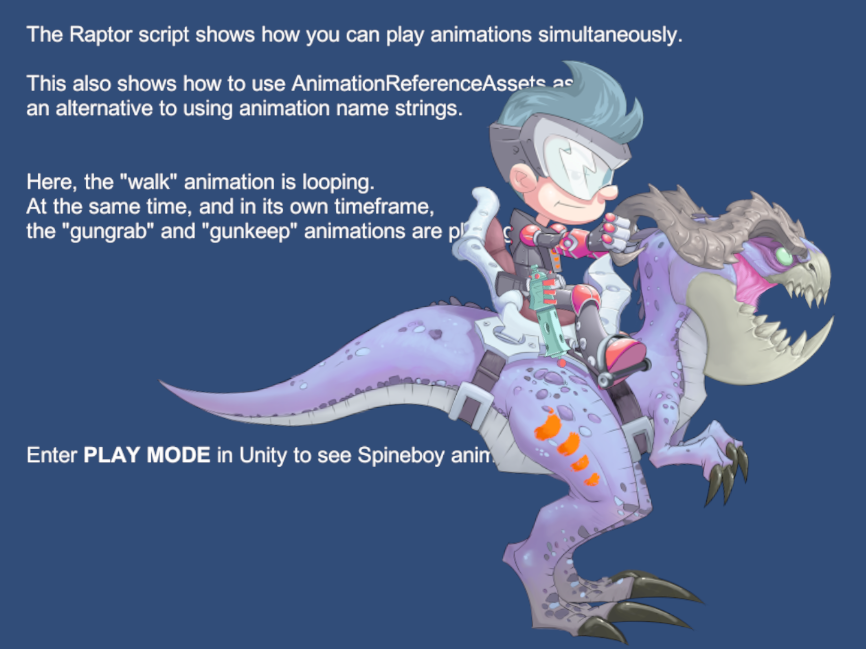
- Raptor 스크립트가 애니메이션들이 어떻게 동시에 송출되는지 보여준다고 함.
- 그리고 AnimationReferenceAssets 가 애니메이션의 이름 대신 어떻게 쓰이는지도 보여준다고 함.
- walk 애니메이션이 반복되는 동안, gun grab과 gun keep 애니메이션이 동시에 나올 것임.

- 위에서 봤던 드롭다운과 다르게, AnimationReferenceAsset을 사용하면 바로 넣을 수 있음!
public class Raptor : MonoBehaviour {

    #region Inspector
    public AnimationReferenceAsset walk;
    public AnimationReferenceAsset gungrab;
    public AnimationReferenceAsset gunkeep;
    #endregion

    SkeletonAnimation skeletonAnimation;

    void Start () {
       skeletonAnimation = GetComponent<SkeletonAnimation>();
       StartCoroutine(GunGrabRoutine());
    }

    IEnumerator GunGrabRoutine () {
       // Play the walk animation on track 0.
       skeletonAnimation.AnimationState.SetAnimation(0, walk, true);

       // Repeatedly play the gungrab and gunkeep animation on track 1.
       while (true) {
          yield return new WaitForSeconds(Random.Range(0.5f, 3f));
          skeletonAnimation.AnimationState.SetAnimation(1, gungrab, false);

          yield return new WaitForSeconds(Random.Range(0.5f, 3f));
          skeletonAnimation.AnimationState.SetAnimation(1, gunkeep, false);
       }

    }

}- 여기서 주의해서 봐야 할 부분은 이 부분
IEnumerator GunGrabRoutine () {
       // Play the walk animation on track 0.
       skeletonAnimation.AnimationState.SetAnimation(0, walk, true);

       // Repeatedly play the gungrab and gunkeep animation on track 1.
       while (true) {
          yield return new WaitForSeconds(Random.Range(0.5f, 3f));
          skeletonAnimation.AnimationState.SetAnimation(1, gungrab, false);

          yield return new WaitForSeconds(Random.Range(0.5f, 3f));
          skeletonAnimation.AnimationState.SetAnimation(1, gunkeep, false);
       }

} - 애니메이션의 “트랙”을 다르게 설정해서, 동시에 송출하도록 하는 방법인가봄!
- 도마뱀이 걷는 애니메이션은 0번 트랙에, 스파인 보이가 총을 드는 부분은 1번 트랙에 두고 동시 송출을 하는 듯 함!
4. Object Oriented Sample
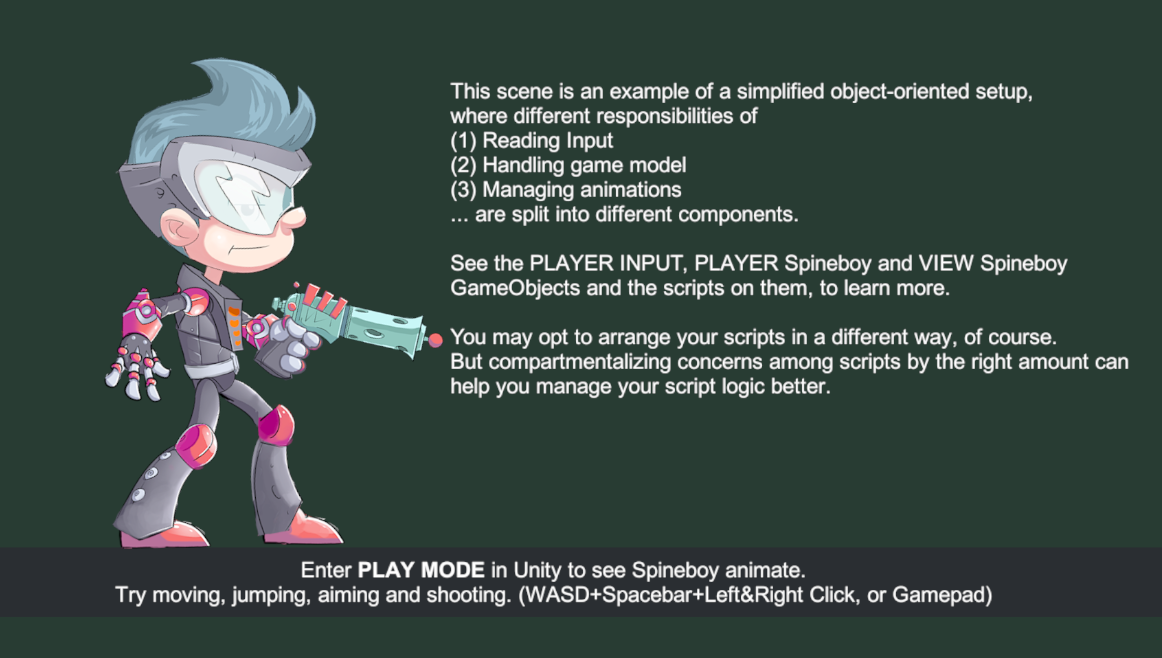
- 여기서는 입력을 받고, 게임 모델을 조종하며, 애니메이션을 관리하는걸 서로 다른 컴포넌트들로 나눠서 진행함.
- 이번에 주의해서 봐야 하는 것들
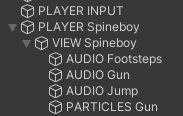
- Player Input
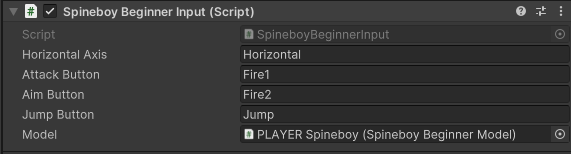
public class SpineboyBeginnerInput : MonoBehaviour {
    #region Inspector
    public string horizontalAxis = "Horizontal";
    public string attackButton = "Fire1";
    public string aimButton = "Fire2";
    public string jumpButton = "Jump";

    public SpineboyBeginnerModel model;

    void OnValidate () {
       if (model == null)
          model = GetComponent<SpineboyBeginnerModel>();
    }
    #endregion

    void Update () {
       if (model == null) return;

       float currentHorizontal = Input.GetAxisRaw(horizontalAxis);
       model.TryMove(currentHorizontal);

       if (Input.GetButton(attackButton))
          model.TryShoot();

       if (Input.GetButtonDown(aimButton))
          model.StartAim();
       if (Input.GetButtonUp(aimButton))
          model.StopAim();

       if (Input.GetButtonDown(jumpButton))
          model.TryJump();
    }
}- 여기서는 보면 SpineboyBeginnerModel 안에 있는 TryMove, TryShoot, StartAnim, StopAim, TryJump 를 호출하는 것 밖에 하지 않음.
- Spineboy Beginner Model
[SelectionBase]
public class SpineboyBeginnerModel : MonoBehaviour {

    #region Inspector
    [Header("Current State")]
    public SpineBeginnerBodyState state;
    public bool facingLeft;
    [Range(-1f, 1f)]
    public float currentSpeed;

    [Header("Balance")]
    public float shootInterval = 0.12f;
    #endregion

    float lastShootTime;
    public event System.Action ShootEvent;  // Lets other scripts know when Spineboy is shooting. Check C# Documentation to learn more about events and delegates.
    public event System.Action StartAimEvent;   // Lets other scripts know when Spineboy is aiming.
    public event System.Action StopAimEvent;   // Lets other scripts know when Spineboy is no longer aiming.

    #region API
    public void TryJump () {
       StartCoroutine(JumpRoutine());
    }

    public void TryShoot () {
       float currentTime = Time.time;

       if (currentTime - lastShootTime > shootInterval) {
          lastShootTime = currentTime;
          if (ShootEvent != null) ShootEvent();   // Fire the "ShootEvent" event.
       }
    }

    public void StartAim () {
       if (StartAimEvent != null) StartAimEvent();   // Fire the "StartAimEvent" event.
    }

    public void StopAim () {
       if (StopAimEvent != null) StopAimEvent();   // Fire the "StopAimEvent" event.
    }

    public void TryMove (float speed) {
       currentSpeed = speed; // show the "speed" in the Inspector.

       if (speed != 0) {
          bool speedIsNegative = (speed < 0f);
          facingLeft = speedIsNegative; // Change facing direction whenever speed is not 0.
       }

       if (state != SpineBeginnerBodyState.Jumping) {
          state = (speed == 0) ? SpineBeginnerBodyState.Idle : SpineBeginnerBodyState.Running;
       }

    }
    #endregion

    IEnumerator JumpRoutine () {
       if (state == SpineBeginnerBodyState.Jumping) yield break;   // Don't jump when already jumping.

       state = SpineBeginnerBodyState.Jumping;

       // Fake jumping.
       {
          Vector3 pos = transform.localPosition;
          const float jumpTime = 1.2f;
          const float half = jumpTime * 0.5f;
          const float jumpPower = 20f;
          for (float t = 0; t < half; t += Time.deltaTime) {
             float d = jumpPower * (half - t);
             transform.Translate((d * Time.deltaTime) * Vector3.up);
             yield return null;
          }
          for (float t = 0; t < half; t += Time.deltaTime) {
             float d = jumpPower * t;
             transform.Translate((d * Time.deltaTime) * Vector3.down);
             yield return null;
          }
          transform.localPosition = pos;
       }

       state = SpineBeginnerBodyState.Idle;
    }

}

public enum SpineBeginnerBodyState {
    Idle,
    Running,
    Jumping
}- 일단 이 코드를 보면 단순하지만 FSM으로 구성되어있음. 그리고 여기서는 상태 전환밖에 안함. 실제로 애니메이션을 돌리는 로직 자체는 여기 없음!
public enum SpineBeginnerBodyState {
    Idle,
    Running,
    Jumping
}- Idle, Running, Jumping의 세 상태로 구분
public void TryShoot () {
       float currentTime = Time.time;

       if (currentTime - lastShootTime > shootInterval) {
          lastShootTime = currentTime;
          if (ShootEvent != null) ShootEvent();   // Fire the "ShootEvent" event.
       }
    }

    public void StartAim () {
       if (StartAimEvent != null) StartAimEvent();   // Fire the "StartAimEvent" event.
    }

    public void StopAim () {
       if (StopAimEvent != null) StopAimEvent();   // Fire the "StopAimEvent" event.
} - Shoot 관련된 애들은 다 Action으로 빠져있고, 여기서는 Invoke만 함.
public void TryMove (float speed) {
    currentSpeed = speed; // show the "speed" in the Inspector.

    if (speed != 0) {
       bool speedIsNegative = (speed < 0f);
       facingLeft = speedIsNegative; // Change facing direction whenever speed is not 0.
    }

    if (state != SpineBeginnerBodyState.Jumping) {
       state = (speed == 0) ? SpineBeginnerBodyState.Idle : SpineBeginnerBodyState.Running;
    }

}- TryMove에서는 좌우 속도를 받아다가 그걸로 상태를 바꿈.
public void TryJump () {
    StartCoroutine(JumpRoutine());
}

IEnumerator JumpRoutine () {
    if (state == SpineBeginnerBodyState.Jumping) yield break;   // Don't jump when already jumping.

    state = SpineBeginnerBodyState.Jumping;

    // Fake jumping.
    {
       Vector3 pos = transform.localPosition;
       const float jumpTime = 1.2f;
       const float half = jumpTime * 0.5f;
       const float jumpPower = 20f;
       for (float t = 0; t < half; t += Time.deltaTime) {
          float d = jumpPower * (half - t);
          transform.Translate((d * Time.deltaTime) * Vector3.up);
          yield return null;
       }
       for (float t = 0; t < half; t += Time.deltaTime) {
          float d = jumpPower * t;
          transform.Translate((d * Time.deltaTime) * Vector3.down);
          yield return null;
       }
       transform.localPosition = pos;
    }

    state = SpineBeginnerBodyState.Idle;
}
- TryJump 에서는 위-아래 이동을 임의로 구현함.
- Spineboy Beginner View
public class SpineboyBeginnerView : MonoBehaviour {

    #region Inspector
    [Header("Components")]
    public SpineboyBeginnerModel model;
    public SkeletonAnimation skeletonAnimation;

    public AnimationReferenceAsset run, idle, aim, shoot, jump;
    public EventDataReferenceAsset footstepEvent;

    [Header("Audio")]
    public float footstepPitchOffset = 0.2f;
    public float gunsoundPitchOffset = 0.13f;
    public AudioSource footstepSource, gunSource, jumpSource;

    [Header("Effects")]
    public ParticleSystem gunParticles;
    #endregion

    SpineBeginnerBodyState previousViewState;

    void Start () {
       if (skeletonAnimation == null) return;
       model.ShootEvent += PlayShoot;
       model.StartAimEvent += StartPlayingAim;
       model.StopAimEvent += StopPlayingAim;
       skeletonAnimation.AnimationState.Event += HandleEvent;
    }

    void HandleEvent (Spine.TrackEntry trackEntry, Spine.Event e) {
       if (e.Data == footstepEvent.EventData)
          PlayFootstepSound();
    }

    void Update () {
       if (skeletonAnimation == null) return;
       if (model == null) return;

       if ((skeletonAnimation.skeleton.ScaleX < 0) != model.facingLeft) {  // Detect changes in model.facingLeft
          Turn(model.facingLeft);
       }

       // Detect changes in model.state
       SpineBeginnerBodyState currentModelState = model.state;

       if (previousViewState != currentModelState) {
          PlayNewStableAnimation();
       }

       previousViewState = currentModelState;
    }

    void PlayNewStableAnimation () {
       SpineBeginnerBodyState newModelState = model.state;
       Animation nextAnimation;

       // Add conditionals to not interrupt transient animations.

       if (previousViewState == SpineBeginnerBodyState.Jumping && newModelState != SpineBeginnerBodyState.Jumping) {
          PlayFootstepSound();
       }

       if (newModelState == SpineBeginnerBodyState.Jumping) {
          jumpSource.Play();
          nextAnimation = jump;
       } else {
          if (newModelState == SpineBeginnerBodyState.Running) {
             nextAnimation = run;
          } else {
             nextAnimation = idle;
          }
       }

       skeletonAnimation.AnimationState.SetAnimation(0, nextAnimation, true);
    }

    void PlayFootstepSound () {
       footstepSource.Play();
       footstepSource.pitch = GetRandomPitch(footstepPitchOffset);
    }

    [ContextMenu("Check Tracks")]
    void CheckTracks () {
       AnimationState state = skeletonAnimation.AnimationState;
       Debug.Log(state.GetCurrent(0));
       Debug.Log(state.GetCurrent(1));
    }

    #region Transient Actions
    public void PlayShoot () {
       // Play the shoot animation on track 1.
       TrackEntry shootTrack = skeletonAnimation.AnimationState.SetAnimation(1, shoot, false);
       shootTrack.MixAttachmentThreshold = 1f;
       shootTrack.SetMixDuration(0f, 0f);
       skeletonAnimation.state.AddEmptyAnimation(1, 0.5f, 0.1f);

       // Play the aim animation on track 2 to aim at the mouse target.
       TrackEntry aimTrack = skeletonAnimation.AnimationState.SetAnimation(2, aim, false);
       aimTrack.MixAttachmentThreshold = 1f;
       aimTrack.SetMixDuration(0f, 0f);
       skeletonAnimation.state.AddEmptyAnimation(2, 0.5f, 0.1f);

       gunSource.pitch = GetRandomPitch(gunsoundPitchOffset);
       gunSource.Play();
       //gunParticles.randomSeed = (uint)Random.Range(0, 100);
       gunParticles.Play();
    }

    public void StartPlayingAim () {
       // Play the aim animation on track 2 to aim at the mouse target.
       TrackEntry aimTrack = skeletonAnimation.AnimationState.SetAnimation(2, aim, true);
       aimTrack.MixAttachmentThreshold = 1f;
       aimTrack.SetMixDuration(0f, 0f); // use SetMixDuration(mixDuration, delay) to update delay correctly
    }

    public void StopPlayingAim () {
       skeletonAnimation.state.AddEmptyAnimation(2, 0.5f, 0.1f);
    }

    public void Turn (bool facingLeft) {
       skeletonAnimation.Skeleton.ScaleX = facingLeft ? -1f : 1f;
       // Maybe play a transient turning animation too, then call ChangeStableAnimation.
    }
    #endregion

    #region Utility
    public float GetRandomPitch (float maxPitchOffset) {
       return 1f + Random.Range(-maxPitchOffset, maxPitchOffset);
    }
    #endregion
}
void Start () {
if (skeletonAnimation == null) return;
model.ShootEvent += PlayShoot;
model.StartAimEvent += StartPlayingAim;
model.StopAimEvent += StopPlayingAim;
skeletonAnimation.AnimationState.Event += HandleEvent;
}- 2번 Model에 있던 액션들에 함수를 넣어줌
void HandleEvent (Spine.TrackEntry trackEntry, Spine.Event e) {
    if (e.Data == footstepEvent.EventData)
       PlayFootstepSound();
}- 이 부분은 잘 모르겠어서 gpt의 도움을 빌림
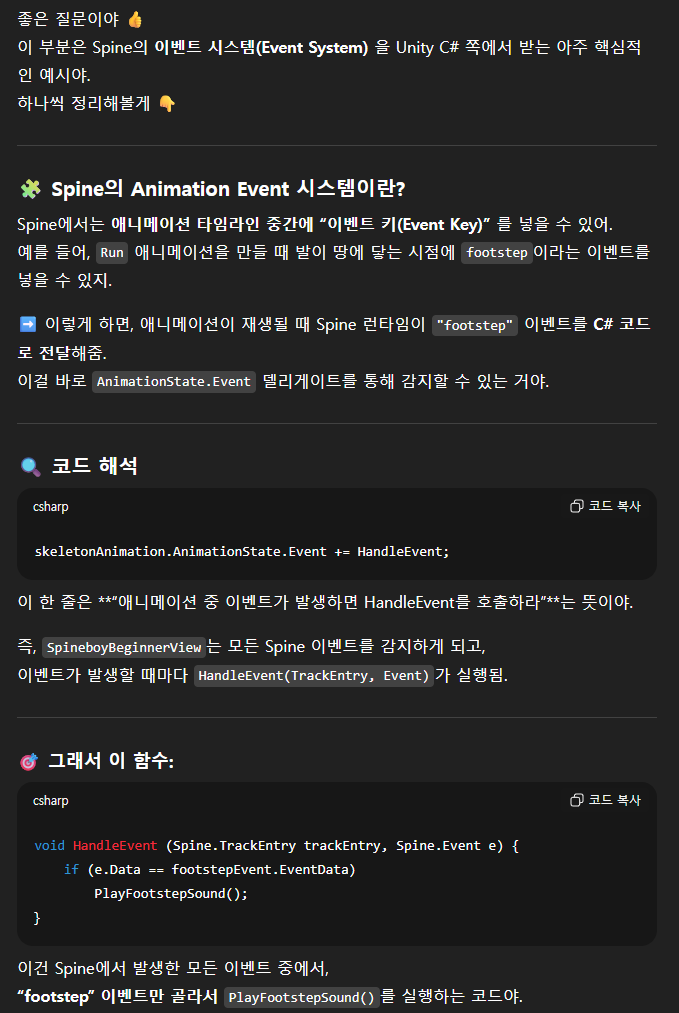
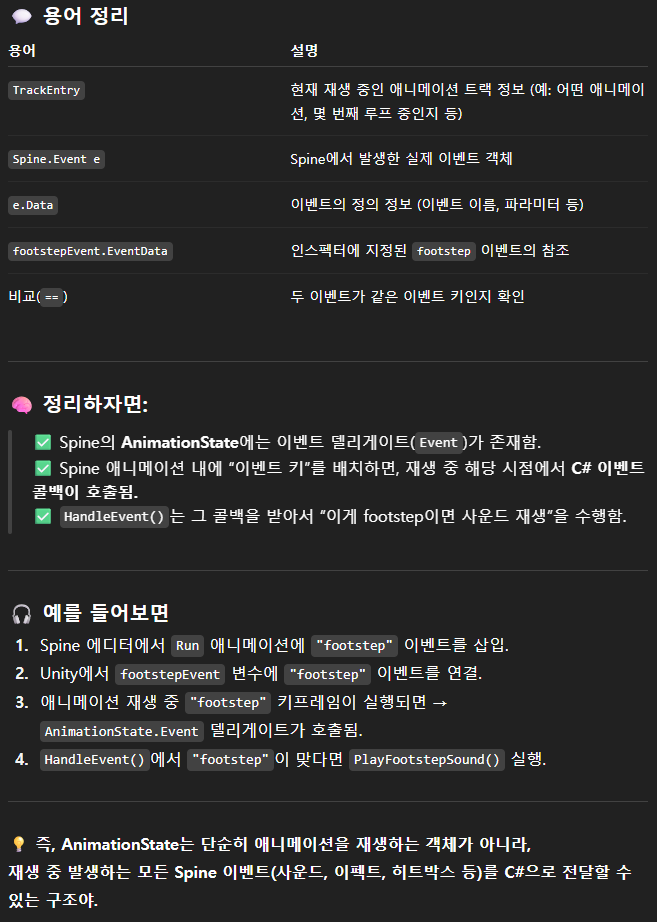
- = spine 에서 애니메이션에 이벤트를 넣어두고, 그 이벤트가 발생될 때마다 HandleEvent가 실행됨!
void Update () {
    if (skeletonAnimation == null) return;
    if (model == null) return;

    if ((skeletonAnimation.skeleton.ScaleX < 0) != model.facingLeft) {  // Detect changes in model.facingLeft
       Turn(model.facingLeft);
    }

    // Detect changes in model.state
    SpineBeginnerBodyState currentModelState = model.state;

    if (previousViewState != currentModelState) {
       PlayNewStableAnimation();
    }

    previousViewState = currentModelState;
}- 좌우 보는 방향 다르면 제대로 보도록 돌려주기 → Turn
public void Turn (bool facingLeft) {
    skeletonAnimation.Skeleton.ScaleX = facingLeft ? -1f : 1f;
    // Maybe play a transient turning animation too, then call ChangeStableAnimation.
}- 현재 상태랑 이전 상태가 다르면 그거에 맞는 애니메이션 재생 → PlayNewStableAnimation
void PlayNewStableAnimation () {
    SpineBeginnerBodyState newModelState = model.state;
    Animation nextAnimation;

    // Add conditionals to not interrupt transient animations.

    if (previousViewState == SpineBeginnerBodyState.Jumping && newModelState != SpineBeginnerBodyState.Jumping) {
       PlayFootstepSound();
    }

    if (newModelState == SpineBeginnerBodyState.Jumping) {
       jumpSource.Play();
       nextAnimation = jump;
    } else {
       if (newModelState == SpineBeginnerBodyState.Running) {
          nextAnimation = run;
       } else {
          nextAnimation = idle;
       }
    }

    skeletonAnimation.AnimationState.SetAnimation(0, nextAnimation, true);
}
public void PlayShoot () {
// Play the shoot animation on track 1.
TrackEntry shootTrack = skeletonAnimation.AnimationState.SetAnimation(1, shoot, false);
shootTrack.MixAttachmentThreshold = 1f;
shootTrack.SetMixDuration(0f, 0f);
skeletonAnimation.state.AddEmptyAnimation(1, 0.5f, 0.1f);
// Play the aim animation on track 2 to aim at the mouse target.
TrackEntry aimTrack = skeletonAnimation.AnimationState.SetAnimation(2, aim, false);
aimTrack.MixAttachmentThreshold = 1f;
aimTrack.SetMixDuration(0f, 0f);
skeletonAnimation.state.AddEmptyAnimation(2, 0.5f, 0.1f);
gunSource.pitch = GetRandomPitch(gunsoundPitchOffset);
gunSource.Play();
//gunParticles.randomSeed = (uint)Random.Range(0, 100);
gunParticles.Play();
}- 여기서, 왜 AddEmptyAnimation을 썼는가? 에 대한 의문
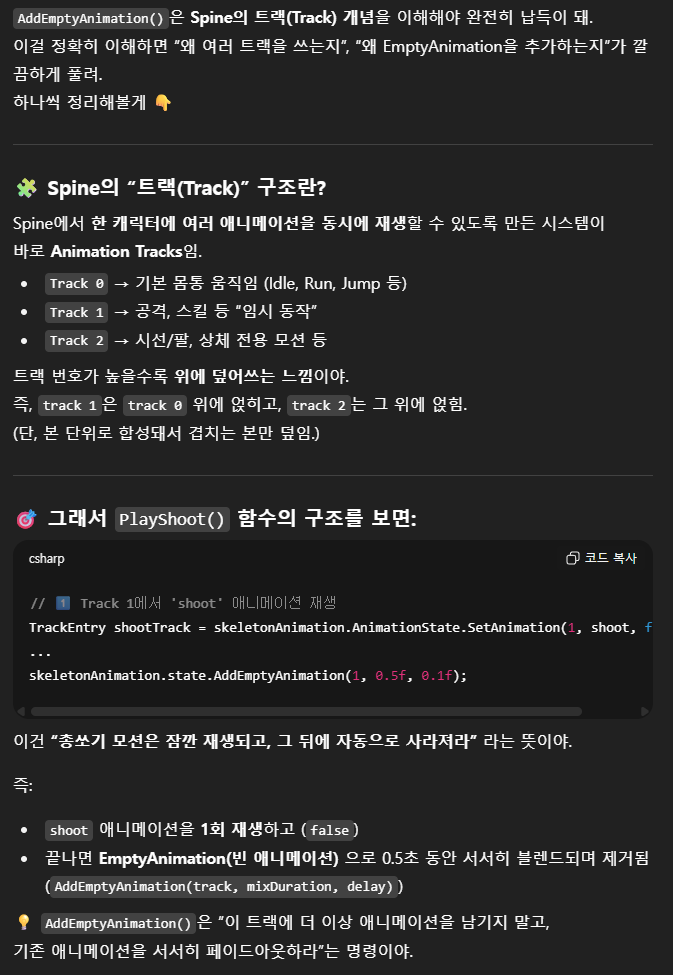
- 애니메이션을 블렌드 해서 자연스럽게 종료시키기 위함!
5. Basic Platformer
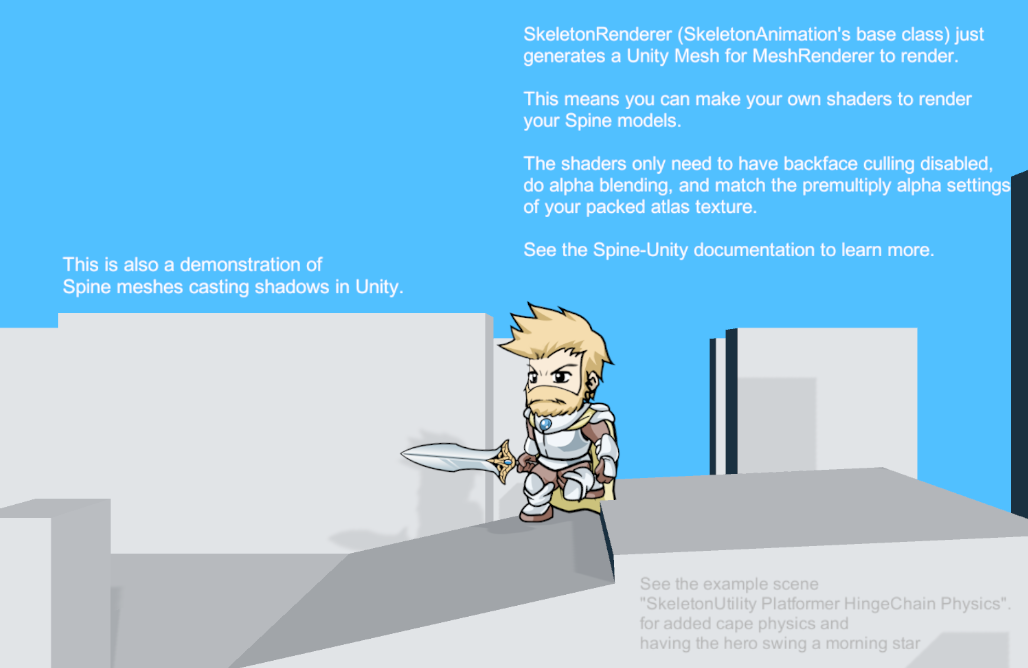
- 여기서는 코드는 크게 안봐도 될 것 같음 (이전과 비슷)
- SkeletonRenderer는 Unity Mesh를 만들어다가 함
- 이 얘기는 우리가 직접 쉐이더를 만들어서 적용시킬 수 있음.
6. SkeletonGraphic
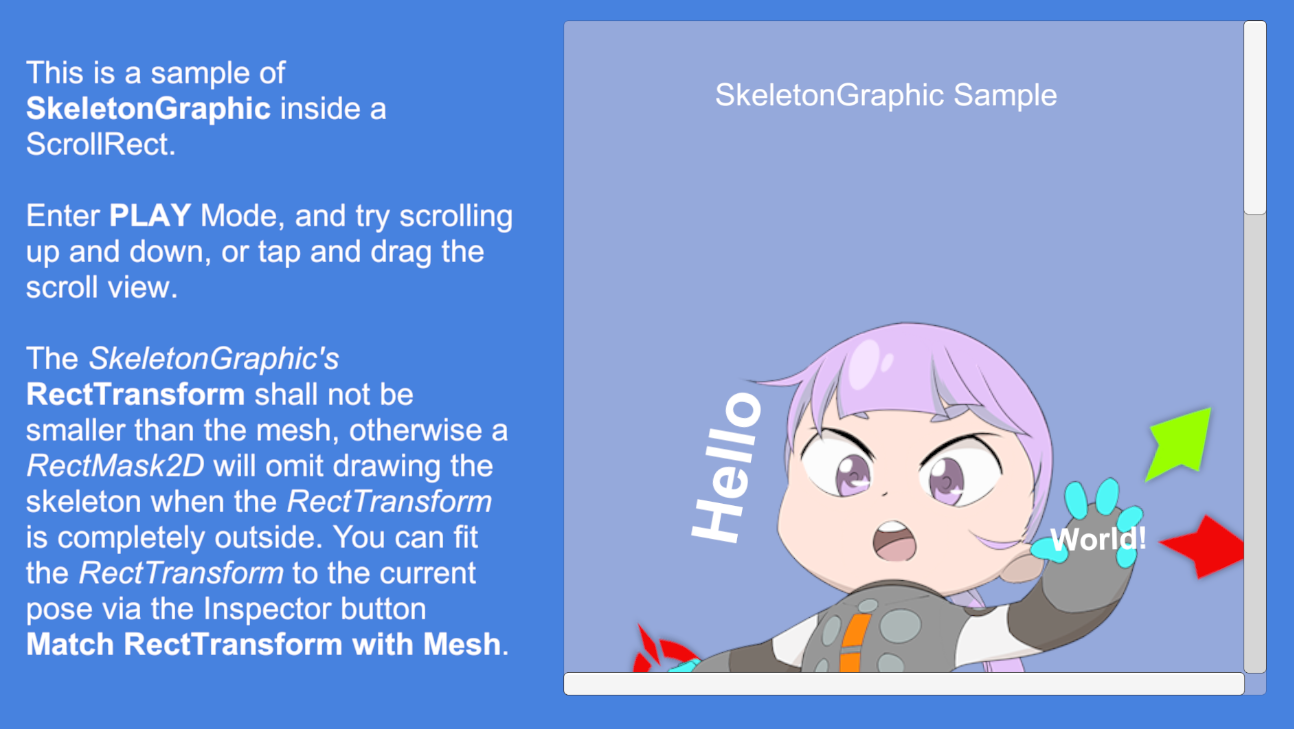
- ScrollRect 안에 SkeletonGraphic 을 넣을 수 있음.